
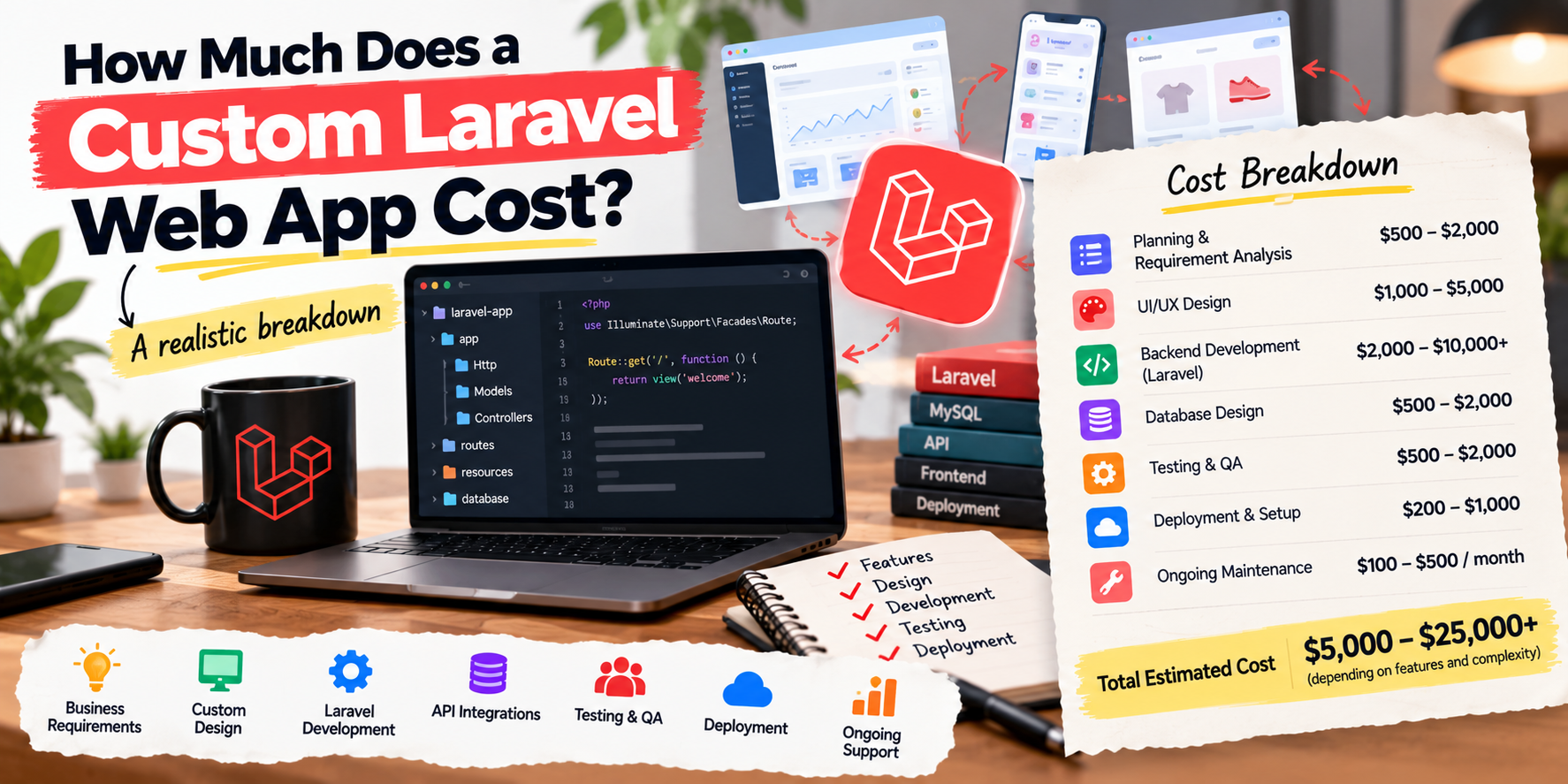
Custom web applications are different from websites. A website shows information. A web app does work: customer portals, booking systems, internal dashboards, marketplaces, SaaS products. Laravel is one of the most popular frameworks for building them, thanks to its speed of development, security features and large ecosystem.
So what does a Laravel app cost? It depends on what it does. Here's how to think about it.
What Drives the Cost
1. Number and complexity of features
Each feature, like user accounts, payments, file uploads, reports or notifications, takes time to design, build and test. A simple booking tool and a multi-tenant SaaS platform are completely different projects.
2. User roles and permissions
One type of user is simple. Admins, staff, customers and partners with different permissions adds a lot of logic.
3. Integrations
Connecting to payment gateways (Stripe, PayPal), accounting software, CRMs, shipping providers, Shopify or custom APIs adds work, especially if the other system is poorly documented.
4. Design
Using a well-built admin template is faster than a fully custom interface. Customer-facing apps usually deserve more design investment.
5. Data and migration
Importing existing data from spreadsheets or an old system can be a significant part of a project.
6. Security, compliance and scale
Apps handling sensitive data, high traffic or strict compliance requirements need more architecture and testing.
Typical Project Shapes
- Small internal tool: a dashboard or workflow app for one team, with a few features.
- Customer portal: logins, account data, documents, requests or bookings.
- MVP SaaS: the smallest version of a product that customers can pay for, often with subscriptions.
- Full platform: marketplaces or complex multi-role systems with many integrations.
Prices vary widely depending on scope and who builds it. The most reliable way to get a real number is a short discovery phase where features are listed and estimated.
How Projects Are Usually Priced
- Fixed price: good when the scope is clear. You know the cost upfront.
- Milestones: the project is split into phases, each with a price and deliverables.
- Time and materials: you pay for time spent. Flexible, but needs trust and regular reporting.
- Ongoing retainer: for continued development and support after launch.
How to Keep Costs Under Control
- Start with an MVP: build the core features first, launch, then add more based on real feedback.
- Write a clear brief: who uses it, what they need to do, and what success looks like. See how to write a project brief.
- Use existing tools where possible: Laravel's ecosystem (Cashier, Sanctum, Filament, Horizon) saves time.
- Agree on what "done" means for each feature before work starts.
- Plan for hosting and maintenance: servers, backups, updates and security patches.
Ongoing Costs to Budget For
- Hosting (from simple VPS to managed cloud).
- Third-party services: email sending, file storage, payment fees.
- Maintenance: Laravel and package updates, security fixes, small improvements.
Frequently Asked Questions
Why Laravel instead of WordPress?
WordPress is great for content sites. For custom business logic and apps, Laravel is usually faster to build cleanly and easier to maintain. See Laravel vs WordPress.
How long does a Laravel app take?
Small tools can take a few weeks. MVPs often take one to three months. Larger platforms take longer.
Do I own the code?
You should. Make sure your contract says you own the code and have access to the repository.
Have an app idea or a process you want to automate? I'll help scope it and give you a clear quote. Laravel development services or get a free quote.
Got a project in mind?
Tell me what you need — I’ll respond within 24 hours with a realistic plan and timeline.