how-long-build-wordpress-website

How Long Does It Take to Build a WordPress Website?

Timeline by Project Type

TypeBasic BusinessStandard BusinessE-commerceCustom/Complex
Timeline5-7 days10-14 days14-21 days21-60 days
IncludesHome
About
Services
Contact
Blog
Multiple service pages
Portfolio
Testimonials
-Product setup
-Payment configuration
-Shipping
Custom features, integrations, advanced functionality
What takes timeDesign approval (2 days)
Content (1 day)
Development (2 days)
Revisions (1 day)
More content
More design work
-Product uploads
-Testing checkout flow
Build everything from scrath

What Affects Timeline?

Content Readiness

  • You provide content Day 1: Faster (5-7 days)
  • Developer writes content: Slower (10-14 days)
  • No content ready: Very slow (14-21 days)

Design Complexity

  • Template customization: Fast (3-5 days)
  • Semi-custom design: Medium (7-10 days)
  • Fully custom design: Slow (14-21 days)

Revisions

  • 1-2 revision rounds: Normal timeline
  • 5+ revision rounds: Adds 5-10 days

Your Response Time

  • You reply same day: On schedule
  • You reply in 3-5 days: Adds 1 week
  • You disappear for 2 weeks: Project stalls

UpdraftPlus (Free Backups)

What it does:

  • Automatic backups of your entire site
  • Restores site if anything breaks
  • Saves to Google Drive/Dropbox

Cost:

Free (Premium: $70/year for more features)

Why you need it:

Your site WILL break eventually (updates, hacks, mistakes). Backups save you.

WP Rocket

What it does:

  • Makes your site load FAST
  • Caching, minification, lazy loading
  • Boosts Google rankings

Cost:

$59/year

Why you need it:

Slow sites lose 40% of visitors. This makes you fast.

Wordfence Security (Free)

What it does:

  • Firewall protection
  • Malware scanning
  • Login security
  • Blocks hackers

Cost:

Free (Premium: $119/year, overkill for most)

Why you need it:

WordPress sites get hacked 30,000+ times per day. This protects you.

5 WordPress Plugins Every Small Business Needs

5 WordPress Plugins Every Small Business Needs (Free & Paid)

Yoast SEO (Free)

What it does:

  • Helps your site rank on Google
  • Optimizes every page/post for search
  • Creates XML sitemaps automatically

Cost:

Free (Premium: $99/year, not necessary for most)

Why you need it:

70% of website traffic comes from Google. This helps you get found.

WPForms (Free + Paid)

What it does:

  • Creates contact forms
  • Payment forms
  • Survey forms
  • Lead capture

Cost:

Free (Pro: $49/year for advanced features)

Why you need it:

Every business needs a way for customers to contact them.

UpdraftPlus (Free Backups)

What it does:

  • Automatic backups of your entire site
  • Restores site if anything breaks
  • Saves to Google Drive/Dropbox

Cost:

Free (Premium: $70/year for more features)

Why you need it:

Your site WILL break eventually (updates, hacks, mistakes). Backups save you.

WP Rocket

What it does:

  • Makes your site load FAST
  • Caching, minification, lazy loading
  • Boosts Google rankings

Cost:

$59/year

Why you need it:

Slow sites lose 40% of visitors. This makes you fast.

Wordfence Security (Free)

What it does:

  • Firewall protection
  • Malware scanning
  • Login security
  • Blocks hackers

Cost:

Free (Premium: $119/year, overkill for most)

Why you need it:

WordPress sites get hacked 30,000+ times per day. This protects you.

10 Signs Your Website Needs a Redesign (And What It Will Cost)

Signs Your Website Needs a Redesign (And What It Will Cost)

Your website is often the first impression potential customers have of your business.

If it looks outdated, loads slowly, or doesn’t work on mobile, you’re losing customers every day.

But how do you know when it’s time for a redesign vs. just minor updates?

In this guide, I’ll show you:
– The warning signs your site is hurting your business
– What a redesign actually costs in 2026
– Whether you need a full rebuild or just updates

By the end, you’ll know exactly if your website needs work (and what to do about it).

(Spoiler: If your site was built before 2020, you probably need at least a refresh.)

Why Website Redesigns Matter

The stakes:

New website gives you:

Old website costs you:

The Warning Signs

Your Site Was Built Before 2020

Why this matters:

Web design trends change every 2-3 years. Sites older than 4-5 years look OBVIOUSLY outdated to visitors.

2020 vs 2026 design differences:

  • 2020: Small text, cluttered layouts, slider carousels
  • 2026: Large headlines, clean whitespace, video backgrounds

What to do:

  • If site is 3-4 years old: Minor refresh ($300-800)
  • If 5+ years old: Full redesign ($1,000-2,500)

How to check:

Look at your site next to competitors’ sites. Does yours look “old”? That’s your answer.

It's Not Mobile-Friendly

The stats:

  • 60% of web traffic is mobile
  • Google prioritizes mobile-friendly sites
  • If your site doesn’t work on phones, you’re invisible

How to test:

  • Open your site on your phone
  • Can you read the text without zooming?
  • Do buttons work easily with your thumb?
  • Does it load in under 3 seconds?

If you answered NO to any:

You need responsive design.

Cost to fix:

$500-1,500 (depending on complexity)

It Loads Slowly (Over 3 Seconds)

Why speed matters:

  • 40% of users abandon sites that take 3+ seconds to load
  • Google ranks slow sites lower
  • Every 1-second delay = 7% fewer conversions

How to test:

  • Go to: https://pagespeed.web.dev/
  • Enter your URL
  • If score is under 50: URGENT FIX NEEDED
  • If 50-80: Room for improvement
  • If 80+: You’re good

Common speed killers:

  • Unoptimized images (too large)
  • Too many plugins
  • Cheap hosting
  • Outdated code

Cost to fix:

  • Speed optimization only: $200-500
  • Full redesign with speed focus: $1,000-2,000

It Doesn't Match Your Current Brand

Common scenario:

  • You rebranded in last 2-3 years
  • New logo, new colors, new messaging
  • Website still has old branding

Why this hurts:

  • Confuses customers (which brand is real?)
  • Looks unprofessional
  • Wastes your rebrand investment

Cost to fix:

$500-1,500 (visual refresh only)

High Bounce Rate (People Leave Immediately)

What's a bounce rate:

  • Percentage of visitors who leave without clicking anything
  • Found in Google Analytics

Healthy bounce rate: 40-60% Warning zone: 60-80% URGENT: 80%+

Why people bounce:

  • Site looks unprofessional
  • Confusing navigation
  • Unclear what you offer
  • Loads too slowly
  • Doesn’t work on their device

Cost to fix:

$800-2,000 (UX redesign)

Security Warnings or Outdated Technology

Red flags:

  • No SSL certificate (site says “Not Secure” in browser)
  • Built on Flash (deprecated in 2020)
  • Using outdated PHP/WordPress version
  • Plugins haven’t been updated in years

Why this is dangerous:

  • Google penalizes insecure sites
  • Visitors don’t trust you
  • Hackers target outdated sites
  • Site could break or get blacklisted

Cost to fix:

  • Security updates: $200-500
  • Full redesign on modern stack: $1,000-2,500

Competitors' Sites Look Better

The simplest test:

  • Google your main service + city
  • Click on your top 3 competitors
  • Compare their sites to yours

Ask yourself:

  • Whose site looks more professional?
  • Whose site is easier to navigate?
  • Whose site loads faster?
  • Whose site makes you want to call them?

Cost to fix:

$1,500-3,000 (competitive redesign)

Conclusion

Your website should be working FOR you, not against you.

If you recognized 3+ warning signs from this list, it’s costing you customers every day.

The good news? A modern, professional website is more affordable than you think.


Typical costs:
  • Minor refresh: $300-800
  • Full redesign: $1,500-3,000
  • Enterprise build: $5,000+

ROI is fast: Most clients see 20-40% more leads within 60 days of launching a new site.


Ready to redesign your website?

I’ve redesigned 300+ sites over 7 years for businesses just like yours.


What I offer:
  • Free site audit (tell you exactly what you need)
  • Custom WordPress redesigns ($150-280)
  • Training included
  • 7-14 day delivery

Questions about redesigning? Comment below!

How to Hire a WordPress Developer (Red Flags to Avoid)

How to Hire a WordPress Developer (Red Flags to Avoid)

Why hiring the wrong developer costs MORE than hiring the right one

Your story: “I’ve seen clients come to me after paying $200 for a site that broke in 2 weeks”

Promise: “I’ll show you exactly what to look for (and what to avoid)”

Where to Find WordPress Developers?

Option 1: Freelance Platforms

  • Fiverr (pros/cons)
  • Upwork (pros/cons)
  • Freelancer.com (pros/cons)

Option 2: Agencies

  • When this makes sense ($3K+ budgets)
  • When it’s overkill

Option 3: Local Developers

  • Benefits of in-person
  • Higher costs

Option 4: Referrals

  • Best option if you have them
  • Ask business owners you trust

My recommendation: Start with freelance platforms (Fiverr/Upwork) for small businesses. Look for developers with 100+ reviews and 7+ years experience.


What Affects WordPress Website Cost?

1: No Portfolio or Generic Examples

What to look for:

  • 10+ real client examples
  • Variety of industries/styles
  • Live links (not just screenshots)

Number of Pages

  • “I can build any website” but shows 2-3 generic examples
  • All examples look identical (using same template)
  • No live links (sites may not exist)

2: Too Cheap to Be True

Realistic pricing:

  • Basic site (3-5 pages): $500-1,500
  • Standard site (6-10 pages): $1,000-2,500
  • E-commerce: $1,500-4,000

Red flag pricing:

  • “Professional website $50”
  • “E-commerce store $100”

3: Poor Communication

Good communication:

  • Responds within 24 hours
  • Asks clarifying questions
  • Explains technical things simply
  • Proactive updates

Red flag:

  • Takes 3+ days to respond
  • Vague answers
  • Doesn’t ask about your business/goals
  • No check-ins during project

4: No Clear Process

Good developer has:

  • Clear timeline (e.g., “5-7 days”)
  • Defined deliverables
  • Revision policy
  • Payment milestones

Red flag:

  • “It’ll be done when it’s done”
  • No revision policy
  • Asks for 100% upfront
  • Changes scope mid-project

5: Doesn't Ask Questions

Good developer asks:

  • “What’s your business goal?”
  • “Who’s your target audience?”
  • “Do you have branding guidelines?”
  • “Any examples of sites you like?”

Red flag developer:

  • Just says “send me your content”
  • Doesn’t ask about your goals
  • Starts building without understanding your business

Why this matters: They’re building a template, not a custom solution for YOU.

6: Promises Unrealistic Timelines

Realistic timelines:

  • 3-5 page site: 5-7 days
  • 10-page site: 10-14 days
  • E-commerce: 14-21 days

Red flag:

  • “10-page e-commerce site in 24 hours”
  • “I can deliver anything in 2 days”

Reality: Quality work takes time. Fast + Cheap + Good – pick two.

7: Won't Teach You to Update the Site

Good developer:

  • Provides training video
  • Walks you through admin panel
  • Answers questions after delivery

Red flag:

  • “You can’t edit anything yourself”
  • “You have to pay me for updates”
  • No documentation/training

This creates dependency – they want you to keep paying for simple updates.

8: Uses Nulled/Pirated Themes or Plugins

Good developer:

  • Uses legitimate themes (paid or free from official sources)
  • Licensed plugins
  • Original code

Red flag:

  • Offers “premium themes free”
  • Uses “cracked” plugins
  • Site has suspicious code

Why this is dangerous:

  • Security vulnerabilities
  • No updates (breaks over time)
  • Could get your site blacklisted
  • Legal issues

What to Look For Instead (Green Flags)

Specialized Experience

  • "I build WordPress sites for [your industry]"
  • Shows deep understanding of your niche

Strong Portfolio

  • 20+ real examples
  • Diverse styles
  • Live links you can click

Transparent Pricing

  • Clear packages
  • No hidden fees
  • Explains what's included

Excellent Communication

  • Fast responses
  • Asks smart questions
  • Sets clear expectations

Proven Track Record

  • 100+ reviews (minimum 50)
  • 4.8+ star rating
  • Years of experience (5+)

Provides Training

  • Video tutorials
  • Documentation
  • Post-delivery support
how mush does wordpress website cost in 2026

How Much Does a WordPress Website Cost in 2026? (Honest Pricing from a Developer)

When I tell people I build WordPress websites, the first question is always: “How much does it cost?

The answer? It depends. (I know, not helpful yet.)

After building 300+ WordPress sites over 7 years, I’ve learned that pricing varies wildly – from $50 DIY themes to $50,000 enterprise builds.

But most small business owners aren’t looking for either extreme. You want a professional website that works, looks good, and doesn’t break the bank.

In this guide, I’ll break down exactly what WordPress websites cost in 2026, what affects the price, and how to get the best value without overpaying.

(Spoiler: You probably need to spend between $500-$2,500 for a quality small business site.)

The WordPress Cost Breakdown

What You're Actually Paying For

  1. Domain name: $10-20/year
  2. Hosting: $5-30/month ($60-360/year)
  3. Theme: $0-60 (one-time)
  4. Plugins: $0-200/year
  5. Development/design: $500-5,000 (one-time)
  6. Maintenance: $50-200/month (optional)

Total first year cost

DIY Approach

$100-500

Freelancer (like me)

$800-2,500

Agency

$3,000-15,000

Cost ComponentDIYFreelancerAgency
Domain$15$15$15
Hosting$60/yrIncludedIncluded
ThemeFree$60Custom
DesignYour time$500-2000$3K-10K
DevelopmentYour timeIncludedIncluded
Total$75+time$800-2,500$3K-15K

What Affects WordPress Website Cost?

Number of Pages

  • 1-5 pages: $500-1,000
  • 6-10 pages: $1,000-2,000
  • 11-20 pages: $2,000-4,000
  • 20+ pages: $4,000+

Custom Design vs. Template

  • Pre-made theme customization: +$300-800
  • Custom design from scratch: +$1,500-5,000

Functionality Required

E-commerce (WooCommerce)

$500-2,000

Membership/login system

$800-3,000

Custom integrations (CRM, APIs)

$1,000-5,000

Content Creation

  • You provide text/images: $0
  • Freelancer writes content: +$200-1,000
  • Professional photography: +$500-2,000

Real Pricing Examples

Example 1:Local Service Business (Plumber, Lawyer, Consultant)

What they need:

  • 5 pages (Home, About, Services, Contact, Blog)
  • Professional design
  • Contact forms
  • Mobile-responsive
  • Basic SEO

Realistic cost: $800-1,500

What I charge: $150-280 depending on customization

Example 2: E-commerce Store (Small Online Shop)

What they need:

  • 10 pages
  • WooCommerce setup
  • 20-50 products
  • Payment gateway
  • Shipping setup

Realistic cost: $1,500-3,000

What I charge: $280-500 (depending on product complexity)

Example 3: Portfolio/Creative Website

What they need:

  • 6-8 pages
  • Gallery/portfolio section
  • Custom animations
  • Unique design

Realistic cost: $1,000-2,500

What I charge: $200-350

Hidden Costs People Don't Tell You About

SSL Certificate

What it is: Security (the "https")


Cost: $0-100/year (many hosts include free)

Email Hosting

What it is: yourname@yourbusiness.com


Cost: $5-15/month ($60-180/year)

Premium Plugins

SEO tools: $100-300/year

Backup tools: $50-100/year

Security: $100-200/year

Updates & Maintenance

-- WordPress core updates

-- Plugin updates

-- Security monitoring


Cost: $50-200/month OR do it yourself

Content Updates

-- Adding new pages

-- Changing text/images

-- Blog posts


Cost: $50-150/hour OR learn to do it yourself

Most freelancers (like me) teach you how to do basic updates yourself, so you don’t need ongoing maintenance unless you want it.
WordPress vs Shopify for Small Business Which Should You Choose

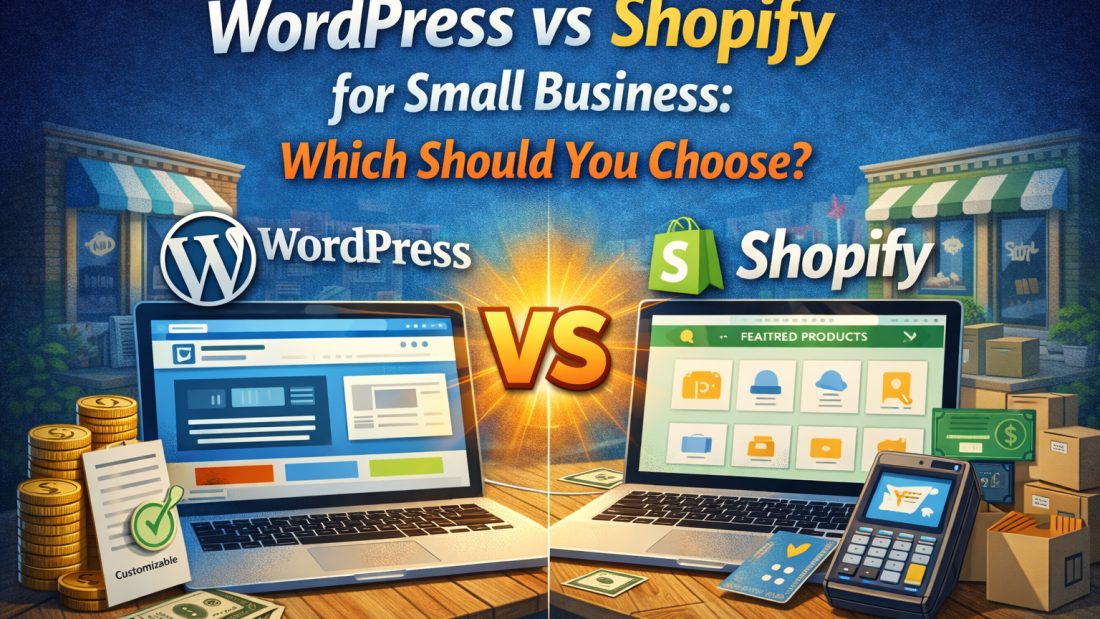
WordPress vs Shopify for Small Business: Which Should You Choose?

I’ve built websites on both WordPress and Shopify for hundreds of clients over 7 years.

The #1 question I get: “Which platform should I use?”

The answer depends on what you’re building:

– Selling physical products online? Shopify might be better.
– Need a content-heavy business site with a blog? WordPress wins.
– Want the easiest setup? Shopify.
– Want the most flexibility and control? WordPress.

In this guide, I’ll break down the REAL differences between WordPress and Shopify in 2026, based on actual client experiences (not just theory).

By the end, you’ll know exactly which platform is right for YOUR business.

(Spoiler: For most service businesses and content sites, WordPress is the better choice. For pure e-commerce stores, Shopify often wins.)

The WordPress Cost Breakdown

What You're Actually Paying For

  1. Domain name: $10-20/year
  2. Hosting: $5-30/month ($60-360/year)
  3. Theme: $0-60 (one-time)
  4. Plugins: $0-200/year
  5. Development/design: $500-5,000 (one-time)
  6. Maintenance: $50-200/month (optional)

At a Glance:

Feature
Best forWordPressShopify
Ease of useBusiness sites, blogs, complex sitesE-commerce stores
Monthly costModerate (learning curve)Very easy
Setup time5-10 days1-3 days
FlexibilityUnlimitedLimited to e-commerce
E-commercePossible (WooCommerce)Built-in and excellent
BloggingExcellentBasic
SEOExcellent (with plugins)Good
CustomizationUnlimitedLimited
Transaction fees0% (if using Stripe/PayPal)0.5-2% (unless using Shopify Payments)
Learning curveSteeperEasy
SupportCommunity-based24/7 official support

What is WordPress? (Pros & Cons)

What WordPress Actually Is:

WordPress is a content management system (CMS) that powers 43% of all websites on the internet.

Two versions exist:

  • WordPress.com (hosted, limited, not what we’re talking about)
  • WordPress.org (self-hosted, what 99% of developers use)

How it works:

  • You buy hosting ($5-30/month)
  • Install WordPress (free)
  • Choose a theme (free or $30-60)
  • Add plugins for features (free or paid)
  • Customize everything

Pros

Complete Control

  • You own everything
  • No platform restrictions
  • Can build literally anything

Lower Long-Term Costs

  • Hosting: $5-30/month
  • No transaction fees
  • No monthly platform fee

Better for Content/Blogging

  • Built for blogging originally
  • SEO-friendly
  • Unlimited pages/posts

More Flexible

  • 60,000+ plugins
  • Can add e-commerce later (WooCommerce)
  • Custom functionality possible

Better SEO

  • Plugins like Yoast/RankMath
  • More control over technical SEO
  • Better URL structures

No Transaction Fees

  • Use any payment processor
  • Keep 100% (minus payment processor fees)

Cons

Steeper Learning Curve

  • Takes time to learn
  • Admin panel can be overwhelming
  • More technical knowledge needed

You Handle Maintenance

  • Updates (WordPress, themes, plugins)
  • Security monitoring
  • Backups
  • (Or hire someone like me)

More Moving Parts

  • Hosting separate from platform
  • Themes and plugins can conflict
  • More troubleshooting needed

E-commerce Setup is Harder

  • WooCommerce works but needs setup
  • Payment gateway integration
  • Shipping configuration
  • Not as streamlined as Shopify

What is Shopify?

What Shopify Actually Is:

Shopify is an all-in-one e-commerce platform specifically designed for online stores.

How it works:

  • Pay monthly subscription ($29-299/month)
  • Everything hosted for you
  • Built-in e-commerce features
  • Add products and start selling

Pros

Extremely Easy to Use

  • Drag-and-drop interface
  • No technical knowledge needed
  • Can launch in 1-2 days

All-in-One Solution

  • Hosting included
  • Security included (SSL)
  • Payment processing built-in
  • No separate services to manage

Built for E-commerce

  • Product management is seamless
  • Inventory tracking built-in
  • Shipping integrations
  • Abandoned cart recovery
  • Discount codes
  • Everything you need to sell

24/7 Support

  • Live chat support
  • Phone support
  • Extensive documentation

Reliable & Fast

  • Shopify handles all technical aspects
  • Fast loading speeds
  • 99.9% uptime
  • No crashes during traffic spikes

Great Mobile Apps

  • Manage store from phone
  • Process orders anywhere
  • Real-time notifications

Cons

Monthly Costs Add Up

  • Base plan: $29/month ($348/year)
  • Plus apps: $50-200/month
  • Total: $500-2,400/year ongoing

Transaction Fees (If Not Using Shopify Payments)

  • 0.5-2% per transaction
  • Adds up fast for high-volume stores
  • Can use Shopify Payments to avoid (but limited countries)

Limited Customization

  • Locked into Shopify’s structure
  • Can’t fundamentally change how it works
  • Need to hire developer for advanced customizations
Not Great for Content/Blogging

  • Blog is basic
  • Limited SEO control
  • Not ideal for content marketing

You Don't Own the Platform

  • If Shopify raises prices, you pay
  • If Shopify changes policies, you comply
  • Can’t move easily to another platform

App Costs

  • Most useful features require paid apps
  • $20/month here, $50/month there
  • Adds up to $100-300/month easily